> For the complete documentation index, see [llms.txt](https://help.track.guide/llms.txt). Markdown versions of documentation pages are available by appending `.md` to page URLs; this page is available as [Markdown](https://help.track.guide/about.md).
# About
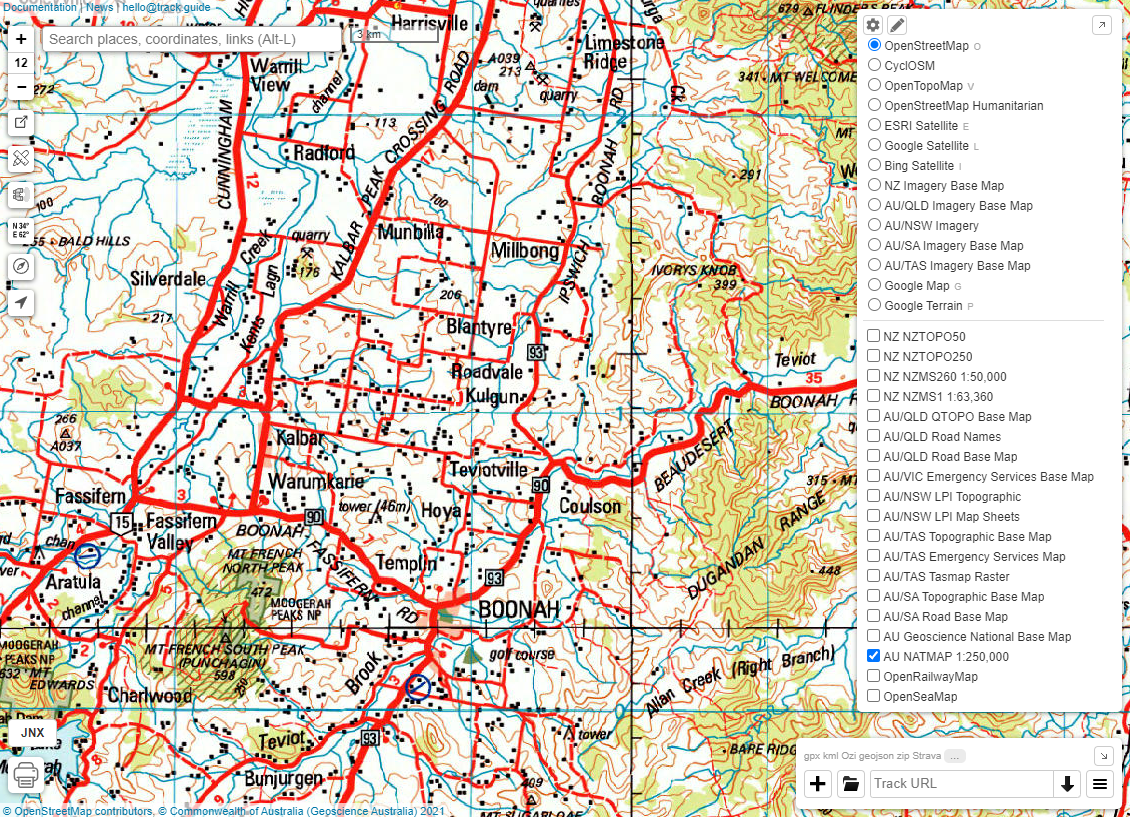
Welcome to [track.guide](https://www.track.guide/) - a web-based adventure planning tool - with an emphasis on being able to view large-scale topographic and imagery mapping.
The web app has been designed to be used on a desktop, laptop, tablet and phone, as long as you have an internet connection. The key features include:
* wide range of topographic and other maps with the ability to add your own
* view panoramic imagery including [Mapillary](https://www.mapillary.com/) and [Google StreetView](https://www.google.com/streetview/)
* advanced track import, export and creation
* create routes and export as a track
* sharing of maps and tracks
* view height profile of tracks
* placename and coordinate search
* drag and drop support of multiple GPS and vector formats including GPX and KML
* customized atlas printing
* export to Garmin JNX format
* multiple coordinate support including UTM
track.guide is a NodeJS app that has been forked from with some added functionality and updated map sources.